
Social media managers rarely work from one fixed desk anymore. You might schedule posts from a coffee shop in the morning and reply to client comments from an airport lounge by evening. This kind of flexibility is part of the job now, but it also means social media management security has to travel with you, not stay locked in an office network.
Remote account management certainly has its conveniences, but along with that comes risk. Public Wi-Fi connections, shared computers, and an increasing number of team members logging in from varied locations all expand the possibilities for an account to get compromised. None of this should give the impression that remote work in itself is dangerous. It just requires a little more caution.
For this reason, let us see how it is done in order to make sure that the job and data of a social media manager remain secure. However, before anything else, let us understand its importance first.
Why Security Matters for Social Media Managers
The repercussions of one hack can erase months of hard work in mere minutes. Your followers will see spammed links, and you will lose the trust of your clients while trying to restore your business’s reputation. Security on social media is not something you can think about abstractly.
However, many companies still think that social media security means nothing until there is a problem. Yet, in most cases, breaches happen because of small oversights like using the same password or letting a previous employee use your logins. Fixing those issues in advance would have been much easier.
The Security Risks of Managing Accounts Remotely
Secure remote work looks different for a social media manager than it does for most office roles. This is mainly because tools, browsers, scheduling platforms, messaging apps, and the like are constantly open and logged in. That constant access is convenient, but it also means a single unlocked device or unsecured connection can expose several client accounts at once.
Working from cafes, co-working spaces, hotels, or home networks shared with roommates and/or family members adds another layer of risk. You cannot always control who else is on that network. And that uncertainty is exactly what makes remote account management harder to lock down than a traditional office setup.
Protecting Social Media Credentials and Client Accounts
Social media account security begins with things everyone knows but does not do. Passwords, access rights, and associated apps are common things that either keep you secure or leave you vulnerable without you realizing it. And doing things right is equally important whether you are working on your own or leading a team of dozens at a big agency.
Now let’s get to some specific practices you should develop and include in your routine.
Use Strong Passwords and a Password Manager
Weak or reused passwords remain one of the easiest ways an account gets compromised, especially when several team members share login details across platforms. A password manager removes the guesswork by generating and storing unique credentials for every account, so no one has to remember them manually. A strong password and access controls give you a foundation that the rest of your security habits can build on.
Turn On Multi-Factor Authentication
Even a strong password can be exposed through phishing or a data leak elsewhere. To fix this, multi-factor authentication is a strong option. Adding a second verification step means a stolen password alone is not enough to get into an account. For anyone serious about social media marketing security, this one setting closes off one of the most common entry points attackers rely on.
Control Team Access and Permissions
Not all team members need full control of all accounts in an administrative capacity. Role-based access rights help ensure a single mistake cannot do too much harm, because people only have access to what is necessary to do their work.
Review Third-Party App Access
Over time, teams tend to connect scheduling tools, analytics dashboards, and other third-party apps to client accounts and then forget about them. Some of these tools may no longer be in use but still retain access. Reviewing connected apps every few months and removing anything unnecessary keeps the number of doors into an account as small as possible.
None of these steps take long to put in place. But together, they meaningfully reduce how exposed your accounts are day to day. The more problems there are, the more solutions there are. So stay tuned for more fixes.
Working Safely on Public and Unfamiliar Networks
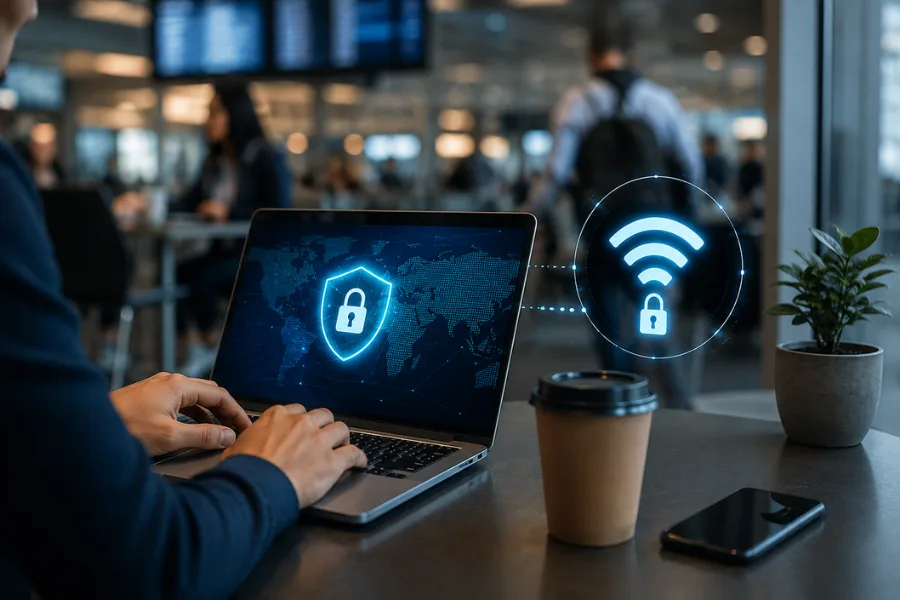 Working on unfamiliar networks can quietly expose whatever you are doing online, including logins to client accounts. Public Wi-Fi at cafes, airports, or hotels was not built with that kind of access in mind. If you want to understand more about how encrypted connections work, you can check ExpressVPN’s official website.
Here are a few more pointers that help whenever you are working from a network you do not fully trust:
- Avoid logging into client accounts on open public Wi-Fi. Open networks without a password are the easiest for anyone nearby to monitor. Save account logins for networks you trust, or wait until you are back on a secure connection.
- Verify the network name before connecting. Hackers usually create a false network with a name similar to the cafe’s or hotel’s real network. Just ask the staff for confirmation before logging into the network.
- Turn off automatic Wi-Fi connections. Your device may connect to a false network due to automatic settings. Disabling it will allow you to confirm the network before connecting.
- Avoid using shared or public computers for account management. These devices may have keyloggers or leftover saved sessions from other users. Stick to your own device whenever you need to log into a client account.
- Use your mobile hotspot when you do not trust the available network. A hotspot is a connection under your control. It is an easy change to make, and it will eliminate most of the risk.
- Be on the lookout for any unexpected login boxes. This should be a red flag if a network requests permissions or additional logins. It is better to terminate your session and use another network.
Best Practices for Remote Social Media Teams
Good security habits work best when they are shared across an entire team, not just followed by one careful manager. As more people access client accounts from different locations, the way a team communicates, updates devices, and manages access becomes just as important as any individual password.
Here are a few good practices for managing this on a team level:
Set Clear Access Rules
Well-established access guidelines eliminate ambiguity while minimizing risks. Written access policies simplify remote social media management channels by eliminating the need to coordinate across time zones and the devices team members may use. Eliminating ambiguity about team members’ rights is a great step toward better management.
Use Secure Communication Tools
Sending password information or client-related material through standard communication methods such as email or instant messengers poses additional risks, as messages can stay in an unprotected form for years. Specialized secure messaging applications and password exchange services allow you to keep sensitive information away from standard communication channels. It is an easy change of routine, which helps close a vulnerable gap in security.
Keep Devices and Software Updated
Outdated apps and operating systems often carry known security gaps that have already been fixed in newer versions. Keeping devices and scheduling software updated is one of the simplest habits involved in protecting social media accounts. However, it is also one of the most commonly ignored. A quick update check now and then goes a long way.
Remove Access When Roles Change
It is important that when anyone leaves a team or changes their role, they get logged out right away instead of waiting to deal with it later. Forgotten logins from employees who no longer work there represent an easily overlooked weak spot in social media team security. And removing access as soon as a role changes keeps the account list accurate and safe.
Building a More Secure Social Media Workflow
Security becomes more effective when it is a routine process instead of a secondary activity done only sometimes. By making it a routine to update passwords, check access, and perform security checks on devices, the team will make social media security feel natural.
Government resources can also offer a useful outside perspective on this. Agencies such as CISA publish general guidance on account security practices that apply well beyond federal use, and reviewing that kind of material occasionally can highlight gaps a busy team might otherwise miss.
In short, security in your social media management does not have to be complicated. It all comes down to simple practices that you can apply across all your accounts and devices. Social media management security is not something you suddenly fix. It is something you achieve through small habits and consistent caution.