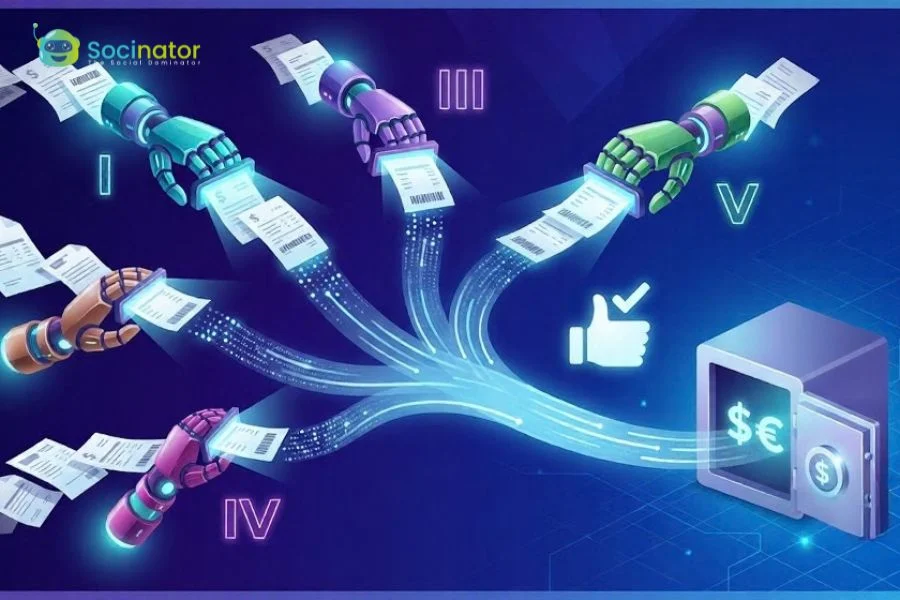
Manual invoice processing is expensive, and the data backs that up precisely: according to Ardent Partners’ State of ePayables 2025 report, the average invoice costs $9.84 to process and takes 8.2 days to move from receipt to payment. Worse, 18.4% of invoices hit an exception along the way, a mismatched amount, a missing PO, a formatting issue, that pulls a human back into a process meant to run on its own.
The gap between average performers and the best isn’t marginal, it’s structural. Best-in-Class AP teams, the top 20% by cost and cycle time, process invoices 79% cheaper and 79% faster than everyone else, with exception rates 47% lower. The biggest driver of that gap is straight-through processing: Best-in-Class organizations push 1.8 times more invoices without any manual touchpoint, largely because they’ve enabled 1.4 times more suppliers to submit invoices electronically in the first place.
That last point is the real starting line for touchless invoice processing: it depends on how well a system captures invoices the moment they arrive, from whatever channel and format they arrive in, before any AI-driven extraction or validation can even begin. A weak capture layer means exceptions pile up regardless of how good the automation is downstream. The 5 platforms below take different approaches to solving that capture problem, so the right fit depends on where your own invoice intake is actually breaking down.
What to Look for When Choosing a Capture Solution
Selecting the right document capture solution for your enterprise requires looking past simple optical character recognition. To build a truly touchless pipeline, pay attention to these core features:
- Table and Line-Item Accuracy: Reading basic headers like dates and total amounts is simple. The real challenge is reading long tables where descriptions wrap across multiple lines or stretch across several pages. Choose a tool that keeps table rows and columns perfectly aligned.
- Real-Time ERP Matching: Touchless processing depends on cross-checking data. Your capture tool must connect directly to your live accounting system or ERP to confirm purchase orders, check vendor bank details, and verify receiving records in real time.
- Smart Exception Handling: No AI-based program can be foolproof all the time. In case there is a confusion in the document or there is a lack of balance in the numbers, the software should be able to identify the problem and show the exact place where the problem lies on the user-friendly screen. The system should learn from the human correction.
1. Hyperscience Hypercell
The software is designed for enterprises that process thousands of complex data documents daily. Unlike simple OCR readers, Hyperscience is capable of reading messy scans, pixelated faxes, and documents with handwritten notes or signatures.
How It Reads and Validates Invoices
Hypercell has a set of computer vision models that recognize patterns in visual documents similarly to humans. The software does not require scanning invoices using standard templates for each supplier. Instead, it analyzes invoice data fields and extracts necessary data automatically. Such data fields may include invoice numbers, dates, vendor information, and multi-line itemized tables on multiple pages.
The extracted data is then processed and routed for verification based on confidence scores. The software can validate an invoice by cross-referencing it with related business documents, such as receiving reports or purchase orders. Next, the confidence score is compared to the numbers in an organization’s accounting system. All data fields with a sufficiently high confidence level are extracted automatically. Simultaneously, the software flags any field that requires manual intervention.
Best use cases
- Large financial institutions and logistics firms processing high volumes of mixed paper and digital documents
- Enterprise accounts payable (AP) departments handling complex, multi-format invoice intake alongside handwritten or degraded scans
1. ABBYY
ABBYY is one of the most established names in document capture solution, built specifically for enterprises that need to eliminate manual bottlenecks between invoice receipt and payment. Invoices rarely arrive through one channel: they come in as email attachments, scanned paper from vendors, PDFs dropped into shared folders, and direct system-to-system connections. ABBYY ingests all of these simultaneously, automatically detecting and classifying each invoice the moment it arrives, whether from a monitored inbox catching attachments in real time or an SFTP folder used for high-volume vendor intake. That removes the manual sorting step that sits between “invoice received” and “invoice processed,” which is the first bottleneck any touchless workflow has to clear.
How It Reads and Validates Invoices
Once captured, invoices flow directly into ABBYY’s extraction and validation layer with no handoff to a separate tool. Pre-trained uchless-invoice-processingmodels, built on millions of real financial documents, drive over 90% straight-through processing out of the box, identifying the document type, pulling vendor details, reading multi-line tables, and capturing tax and total fields in a single continuous pass. The platform then validates that data immediately: cross-checking line-item sums, matching vendor details against records, and comparing invoices against purchase orders, flagging any discrepancy automatically before it reaches payment.
For invoice validation, ABBYY applies built-in rules designed for corporate accounting within the same pipeline, with no handoff to a separate tool. It verifies that mathematical subtotals match listed line items, checks tax registration numbers, and confirms currency formats. It also connects directly to your ERP or accounting system to run automated two-way and three-way matching, comparing each invoice against the original purchase order and goods received note to confirm you were billed only for what you ordered and received. Because capture and validation run as one continuous process, invoices move from arrival to payment-ready with little to no manual intervention at any stage.
Best use cases
- Enterprises needing multi-channel invoice ingestion with minimal manual intervention
- Global businesses requiring multilingual document processing across 200+ languages
- Corporate IT and finance teams with strict security or compliance requirements
- Organizations seeking deep ERP integration and end-to-end touchless accounts payable (AP) workflows
3. Hypatos
Hypatos is designed specifically for financial document automation. Its main goal is to help companies achieve high straight-through processing (STP) rates, meaning invoices are read, checked, approved, and posted to the accounting system without any human ever touching them.
How It Reads and Validates Invoices
Hypatos relies on deep learning neural networks trained specifically on financial transactions. Because it understands financial language and document structures, it can extract data from new vendor invoices without needing custom rules or setup time.
The software shines during the validation phase. It checks vendor bank account details against your main database to prevent fraud. It also reads line items and matches them directly to PO numbers in your ERP system (such as SAP or Oracle). Hypatos can even predict the correct General Ledger (GL) account code based on historical spending data, and it flags potential duplicate bills or wrong tax rates automatically before any money leaves your account.
Best use cases
- High-volume corporate accounts payable departments and shared service centers
- Enterprise teams running SAP or Oracle ERP environments
4. Automation Anywhere Document Automation
Automation Anywhere integrates intelligent document capture directly within Robotic Process Automation (RPA). That is, software bots can fetch invoices in emails, perform the extraction of the text, validate them and type in the data as well as any human operator does.
How It Reads and Validates Invoices
With the help of generative AI and machine learning models, Automation Anywhere scans and reads multi-page PDFs, scanned documents, and emails, extracting key information such as invoice date, payment terms, descriptions of goods/services, unit price and totals.
Once extracted, automated software bots take over the validation tasks. The bots look up live database records to confirm that the vendor is active and approved. They check if the purchase order has enough remaining balance to cover the bill, confirm line-item pricing, and verify mathematical formulas. If all the checks pass, the bot creates a draft bill or posts the invoice for payment automatically. If a number fails validation, the bot sends an alert directly to the right manager for approval.
Best use cases
- Organizations already running Automation Anywhere for broader office automation
- Teams seeking an end-to-end bot-driven workflow from email ingestion to ledger entry
5. DocuWare
DocuWare is a document management and workflow automation platform that targets mid-to-large enterprises looking to digitize and route invoices without heavy IT involvement. It captures invoices from email, scanners, and web forms, then applies optical character recognition to extract key fields such as vendor name, invoice number, due date, and total amount. Captured data moves into DocuWare’s built-in workflow engine, where configurable rules route invoices to the right approvers based on cost center, amount threshold, or department. The platform connects to ERP systems including SAP and Microsoft Dynamics to support basic two-way matching against purchase orders and to push approved invoices directly to the ledger. Exception handling relies on manual review queues, where flagged documents are assigned to specific users for correction before the workflow continues. DocuWare suits organizations that prioritize structured approval routing and document archiving over deep AI-driven extraction, making it a practical fit for businesses that want to digitize a largely paper-based accounts payable (AP) process without overhauling their existing systems.
How it reads and validates invoices
DocuWare uses optical character recognition to read incoming invoices from email, scanners, and web forms, extracting key fields such as vendor name, invoice number, due date, and total amount. Once extraction is complete, its built-in workflow engine applies configurable routing rules to direct each invoice to the correct approver based on cost center, amount threshold, or department. The platform connects to ERP systems including SAP and Microsoft Dynamics to support basic two-way matching against purchase orders and to push approved invoices directly to the general ledger. Where discrepancies or low-confidence reads occur, DocuWare routes the document to a manual review queue, assigning flagged items to designated users for correction before the workflow resumes. This approach prioritizes structured approval routing and reliable document archiving over deep AI-driven extraction, making it a practical fit for organizations that want to digitize a paper-based accounts payable (AP) process without replacing their existing systems.
DocuWare suits organizations that prioritize structured approval routing and reliable document archiving over deep AI-driven extraction. Its configurable workflow engine gives accounts payable (AP teams control over how invoices move through the approval chain, routing documents based on cost center, amount threshold, or department without requiring custom development. ERP integrations with platforms such as SAP and Microsoft Dynamics support basic two-way matching and direct ledger posting, keeping approved invoices moving without manual rekeying. Where the platform is most effective is in environments that need to replace paper-based routing with a governed digital process: one where every invoice follows a defined path, every approver receives the right documents, and every exception lands in a tracked review queue rather than an unmonitored inbox.
Best use cases
- Mid-to-large enterprises replacing paper-based accounts payable (AP) processes with a governed digital workflow
- Organizations prioritizing structured approval routing and document archiving over deep AI-driven extraction
- Teams running SAP or Microsoft Dynamics seeking basic two-way matching and direct ledger posting
Final Thoughts
It takes much effort to manually enter data in order to handle vendor invoices. Implementing intelligent document management software will turn messy emails and scanned invoices into perfectly validated data. With the help of three-way matching, automatic verification of mathematical calculations, and vendor validation, your finance department will significantly reduce approval times and avoid duplicate payments.
Frequently asked questions
How accurate is document capture software?
Accuracy varies by document type and platform, but modern AI-powered OCR commonly reaches 99%+ on clean, standard forms, according to Mordor Intelligence’s 2025 data. Accuracy on lower-quality inputs, like faxed or handwritten documents, is typically lower, which is why leading platforms combine OCR with validation rules and human-in-the-loop review for critical use cases.
What is straight-through processing in document capture?
Straight-through processing (STP) refers to the percentage of documents a system processes from intake to output without any manual intervention. Higher STP rates reduce labor costs and processing time; platforms combining OCR with AI-driven validation typically report higher STP rates than rule-based OCR alone.
How is generative AI changing document capture software?
Generative AI allows document capture platforms to interpret unstructured content using contextual reasoning rather than relying on fixed templates, letting them handle layouts and formats they haven’t explicitly been trained on. Vendors are increasingly embedding large language models (LLMs) into capture pipelines specifically to close accuracy gaps on messy or low-quality documents.
How do businesses choose the right document capture software?
The right choice depends on factors including deployment model (cloud vs. on-premise), integration needs with existing systems, document types and languages processed, industry-specific compliance requirements, and whether the use case demands high accuracy on unstructured or handwritten content. Businesses in regulated industries like BFSI or healthcare typically prioritize compliance features and validation depth, while others may prioritize speed of deployment or cost.