
Are you managing multiple social media accounts for your business? It can quickly become overwhelming. From posting content on Facebook and Instagram to responding to messages and analysing engagement, staying organised is a challenge. That’s where Meta Business Suite comes in as a powerful platform designed to streamline business management across Meta’s social media ecosystem.
With Meta Business Suite, businesses can manage Facebook and Instagram from one dashboard, schedule posts in advance, monitor messages and comments, and access detailed analytics. This approach helps you save time and also improves team collaboration.
In this guide, we’ll explore everything you need to know about Meta Business Suite, from its key features and benefits to step-by-step instructions on how to use it effectively. You’ll also discover best practices, advanced tips, and tools like Socinator that can enhance your experience and help your business run more smoothly. By the end of this blog, you’ll be equipped with the knowledge to manage your social media efficiently, engage your audience, and grow your business with confidence — especially when combined with features like Meta Verified.
You can listen to this Blog here.
What is Meta Business Suite?

Meta Business Suite is a comprehensive platform that allows businesses to manage their Facebook and Instagram accounts from a single dashboard. It provides tools to post, schedule, and track content, engage with audiences, and analyze performance all in one place.
The platform is designed to simplify social media management for businesses of all sizes. Instead of switching between apps or logging into multiple accounts, you can access messages, notifications, and analytics in a unified interface. This makes it easier to maintain consistent communication with your audience and ensures that your team can collaborate effectively.
With features like content scheduling, automated responses, and detailed insights, Meta Business Suite helps businesses save time, optimize their social media strategy, and improve overall efficiency. Using this platform, companies can focus on creating high-quality content and engaging with their audience, while having all the tools needed to monitor performance and make data-driven decisions.
Key Features of Meta Business Suite
Meta Business Suite offers a variety of features that make managing social media accounts efficient and effective. Understanding these features can help businesses take full advantage of the platform.
- Unified Inbox
The platform consolidates messages, comments, and notifications from both Facebook and Instagram into a single inbox. This makes it easier to respond to customers quickly and ensures that no interaction goes unnoticed. - Content Scheduling
With Meta Business Suite, you can plan and schedule posts, stories, and reels in advance. This feature saves time and allows businesses to maintain a consistent posting schedule without manual effort every day. - Insights and Analytics
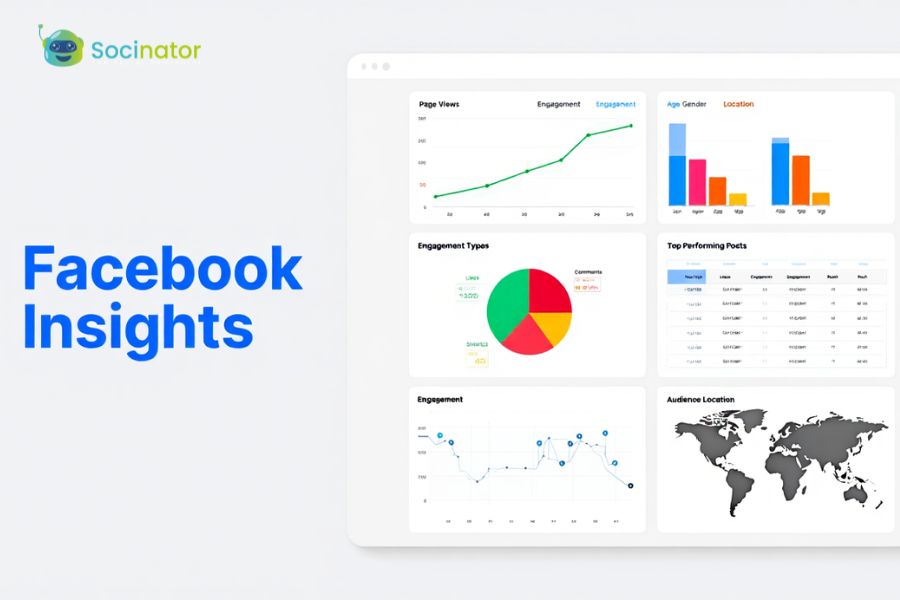
The platform provides detailed analytics on post performance, audience engagement, and follower growth. These insights help businesses understand what content resonates with their audience and adjust strategies accordingly. - Automated Responses and Alerts
Meta Business Suite allows businesses to set up automated replies for common customer queries. This ensures timely responses, improves customer satisfaction, and reduces the workload on your team. - Integration with Meta Ads
Businesses can manage ad campaigns directly from the dashboard, monitor performance, and optimize ads for better results. This integration makes it easy to coordinate organic and paid social media efforts seamlessly. - Collaboration Tools
Teams can assign tasks, manage roles, and coordinate content creation and publishing efficiently. Collaboration features improve productivity and ensure that everyone is aligned with the business’s social media strategy.
By leveraging these key features, businesses can streamline their operations, save time, and enhance engagement with their audience, making Meta Business Suite an indispensable tool for modern social media management.
Benefits of Using Meta Business Suite
Using Meta Business Suite offers numerous advantages that help businesses manage social media more effectively and drive better results.
Saves Time
By centralizing Facebook and Instagram management in one dashboard, businesses no longer need to switch between apps or accounts. Scheduling posts, responding to messages, and tracking performance all happen in a single platform, saving valuable time.
Improves Team Collaboration
Meta Business Suite allows team members to assign tasks, manage roles, and coordinate workflows. This ensures that everyone is aligned, reduces confusion, and streamlines content creation and publishing.
Provides Actionable Insights
With built-in analytics and performance metrics, businesses can track engagement, reach, and audience growth. These insights help identify which content works best, enabling data-driven decisions and continuous improvement.
Enhances Customer Engagement
A unified inbox and automated responses allow businesses to reply to messages and comments promptly. Quick responses improve customer satisfaction and strengthen brand loyalty.
Streamlines Ad Management
Integration with Meta Ads enables businesses to manage campaigns, monitor performance, and optimize results directly from the dashboard. This ensures cohesive marketing strategies across organic and paid efforts.
By using Meta Business Suite along with Meta Commerce Manager, businesses can not only save time and reduce manual effort but also improve overall social media effectiveness. From better collaboration to actionable insights and improved customer engagement, the platform provides all the tools needed to streamline business management and achieve marketing goals efficiently.
Step-by-Step Guide to Using Meta Business Suite
Meta Business Suite simplifies managing Facebook and Instagram for businesses. Here’s how to use it effectively:
1. Set Up Your Account
- Visit business.facebook.com or download the app.
- Log in with your Facebook business credentials.
- Connect Instagram business accounts to manage both platforms from one dashboard.
2. Connect Facebook and Instagram Profiles
- Go to Settings → Accounts → Add Account.
- Authorize access for messaging, publishing, and insights.
- This ensures posts, messages, and analytics are accessible in one place.
3. Navigate the Dashboard
Key sections include:
- Inbox: Consolidated messages and comments.
- Content Calendar: Overview of scheduled posts.
- Insights: Analytics on engagement, reach, and audience.
- Publishing Tools: Create, schedule, and manage posts.
4. Schedule Posts and Stories
- Click “Create Post/Story,” add media and text.
- Select account(s) and schedule a date/time.
- Planning content ensures consistency and frees up time for engagement.
- Monitor Messages and Comments
- Respond to messages promptly to improve customer satisfaction.
- Assign messages to team members for efficiency.
6. Analyze Insights and Reports
- Track engagement, reach, clicks, and audience growth.
- Identify top-performing content and adjust strategies for better results.
7. Use Automated Responses
- Set instant replies for FAQs.
- Automate task assignments and follow-ups.
- Saves time while maintaining quick customer response.
8. Coordinate Paid Campaigns
- Manage ad campaigns from the dashboard.
- Track engagement, conversions, and performance.
- Align organic and paid strategies for maximum impact.
Best Practices To Streamline Business Management
To make the most of Meta Business Suite, implementing best practices ensures your social media management is efficient and effective.
- Plan and Schedule Content in Advance
Use the scheduling feature to maintain a consistent posting schedule. Planning saves time and ensures your content aligns with marketing goals. - Assign Roles and Collaborate
Set clear roles for team members and assign tasks within the platform. Collaboration features help avoid confusion and streamline workflow. - Monitor Engagement Regularly
Check the unified inbox frequently and respond to messages, comments, and mentions promptly. Quick responses improve customer satisfaction and strengthen brand trust. - Use Analytics to Guide Decisions
Regularly review insights on reach, engagement, and audience growth. Data-driven decisions help optimize content, posting times, and campaigns. - Leverage Automation
Automated responses for common queries and task assignments can save time and reduce repetitive work. Tools like Socinator complement Meta Business Suite by enhancing automation, scheduling, and analytics.
By following these best practices, businesses can streamline operations, improve efficiency, and provide a consistent, high-quality social media experience.
Tools to Enhance Meta Business Suite 
While Meta Business Suite offers a wide range of features, using complementary tools can further streamline social media management and improve efficiency. One of the most powerful tools to pair with Meta Business Suite is Socinator.
Socinator is an advanced automation and social media management software designed to work seamlessly with Meta platforms. It helps businesses schedule posts, automate engagement, track analytics, and manage multiple accounts effortlessly. By integrating Socinator with Meta Business Suite, businesses can:
- Automate Repetitive Tasks: Schedule posts, auto-reply to messages, and engage with followers without manual intervention.
- Enhance Analytics: Gain deeper insights into engagement trends, follower growth, and post performance.
- Boost Productivity: Manage multiple accounts simultaneously while maintaining a well-organized workflow.
- Improve Content Strategy: Analyze what type of content performs best and adjust campaigns accordingly.
Using a combination of Meta Business Suite and Socinator allows businesses to streamline social media operations, save time, and focus on strategic initiatives rather than repetitive tasks.
For businesses looking to scale social media efforts efficiently, integrating such tools ensures maximum productivity, improved engagement, and consistent brand presence across platforms.
Advanced Tips and Tricks
To get the most out of Meta Business Suite, businesses can adopt a few advanced strategies that optimize efficiency and engagement:
- Bulk Scheduling
Plan and schedule multiple posts at once using the content calendar. This helps maintain consistency and reduces daily workload. - Leverage Templates and Hashtags
Use post templates and relevant hashtags to save time and increase visibility. Templates ensure brand consistency across posts. - Automate Repetitive Tasks
Set up automated replies for FAQs and routine messages. Combine this with tools like Socinator to further streamline engagement. - Monitor Insights Regularly
Keep an eye on performance metrics to identify trends, high-performing content, and areas that need improvement. Regular monitoring ensures strategies are always data-driven. - Coordinate Paid and Organic Campaigns
Align organic content with paid campaigns for better audience targeting and improved ROI. Use insights from Meta Business Suite to optimize ad performance.
By applying these tips, businesses can streamline workflows, enhance audience engagement, and make the most of the platform’s capabilities. Advanced strategies ensure your team works smarter, not harder, while achieving social media goals efficiently.
Also Read,
Common Challenges Businesses Face with Meta Business Suite
While Meta Business Suite simplifies social media management, businesses often encounter a few challenges. Managing multiple accounts, maintaining a consistent posting schedule, and interpreting analytics data can be overwhelming for teams without a clear strategy.
Another common challenge is staying up-to-date with platform updates. Facebook and Instagram frequently introduce new features, which can affect scheduling, messaging, or reporting if teams aren’t aware of them. Additionally, smaller businesses may struggle with limited resources, making it difficult to monitor engagement effectively.
To overcome these challenges, businesses should leverage the platform’s built-in tools and dashboards. Features like the content calendar, unified inbox, and insights dashboard help organize workflows and ensure nothing is missed. Complementary tools like Socinator can further enhance automation, analytics, and account management. By combining the strengths of Meta Business Suite with best practices and supportive tools, businesses can navigate challenges efficiently, improve productivity, and maintain a strong social media presence.
Conclusion
Meta Business Suite is a powerful platform that streamlines business management across Facebook and Instagram. Centralizing content creation, scheduling, messaging, and analytics helps businesses save time, improve collaboration, and engage their audience more effectively.
From small businesses to larger teams, the platform provides tools to monitor performance, automate responses, and make data-driven decisions. By integrating complementary tools like Socinator, businesses can further enhance automation, scheduling, and analytics, allowing teams to focus on strategy and growth rather than repetitive tasks.
Implementing best practices—such as planning content in advance, monitoring engagement, leveraging analytics, and using automation—ensures that your business maximizes the benefits of Meta Business Suite. Tracking key metrics and staying updated with platform features empowers businesses to optimize their social media strategy and achieve measurable results.
Whether you are just getting started or looking to enhance your existing workflow, Meta Business Suite, combined with the right tools and strategies, can simplify social media management, boost engagement, and help your business grow efficiently in today’s competitive digital landscape.
FAQs:
- What is Meta Business Suite used for?
Meta Business Suite is a platform that helps businesses manage Facebook and Instagram accounts from a single dashboard. It allows you to schedule posts, monitor messages, track engagement, and analyze performance efficiently. - Can I manage multiple accounts with Meta Business Suite?
Yes, you can connect multiple Facebook pages and Instagram business accounts, enabling centralized management of content, messages, and insights. - Is Meta Business Suite free for businesses?
Yes, Meta Business Suite is free to use. It provides essential tools for managing social media accounts, though integrating third-party tools like Socinator can add advanced automation and analytics features. - How does Meta Suite help improve engagement?
With a unified inbox, automated responses, and detailed analytics, businesses can respond promptly to customers, monitor interactions, and optimize content strategies, resulting in better engagement. - Can I schedule posts and stories using Meta Suite?
Absolutely. The platform allows you to create and schedule posts and stories in advance, ensuring consistent posting and saving time for your team.